
1
The beat is the atom
One thing that happens: “Danglars writes the denunciation.” Beats carry their synopsis, characters, place, storylines and length. Scenes, chapters and acts are built around them.
PlotFable is a Mac app for novelists and screenwriters. Lay out your plot on a whiteboard, see it on a timeline, chart how it feels, check that every setup pays off — all from the same story.
For macOS 15 or later · No account needed
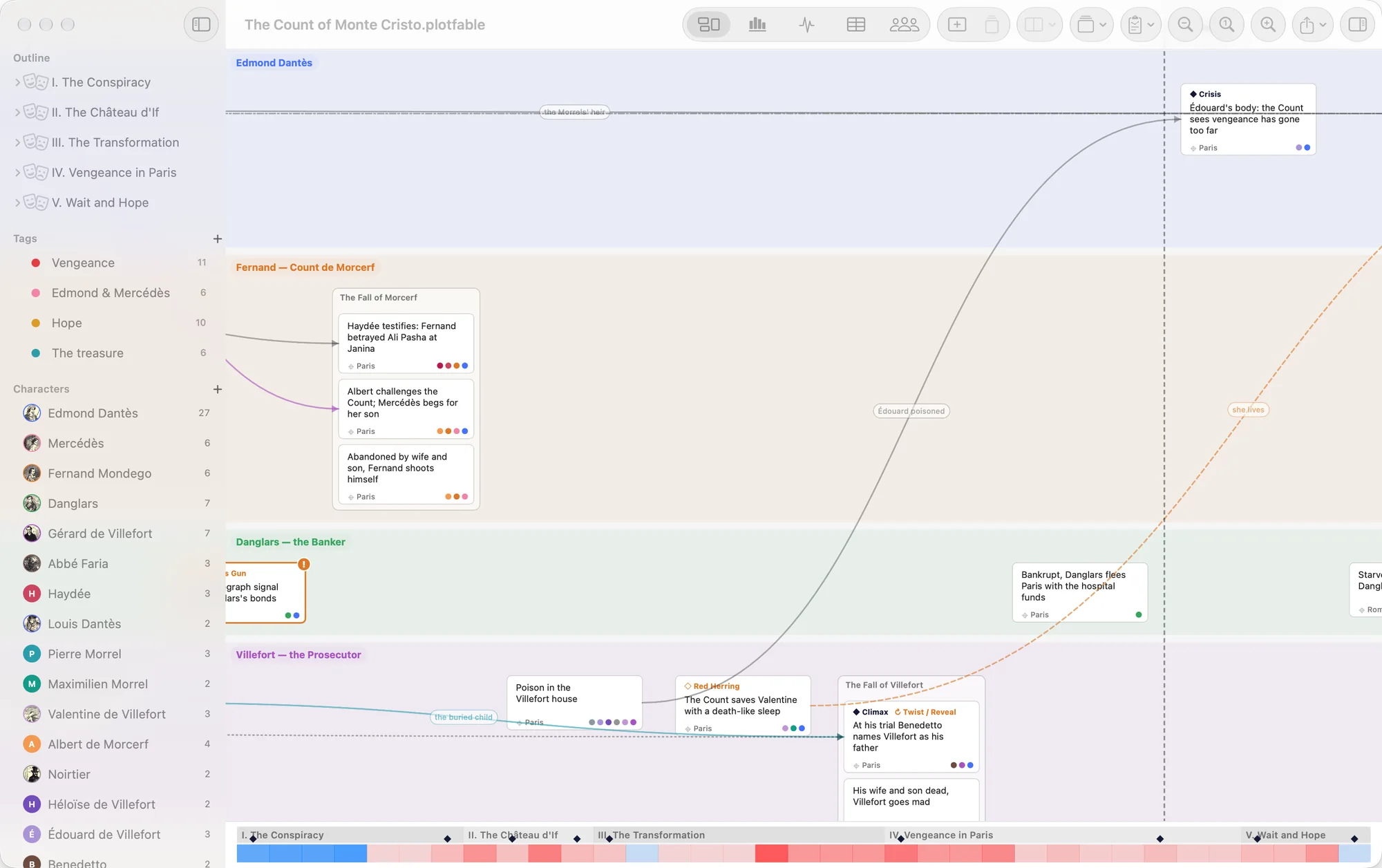
Most writing tools organise chapters. PlotFable organises what happens — and lets you see it from five sides without ever copying it twice.
One thing that happens: “Danglars writes the denunciation.” Beats carry their synopsis, characters, place, storylines and length. Scenes, chapters and acts are built around them.
Move a beat on the whiteboard and it moves on the timeline, in the emotion chart and in the table. There is only one order, and every view follows it.
Link a setup to its payoff. If you ever reorder them the wrong way, PlotFable flags a plot error — and it warns you about the promises you haven't kept yet.
Switch with ⌘1 to ⌘5. Every view edits the same story.
Your plot as cards on lanes — the main plot, the B story, each character's thread. Drag beats around, group them into scenes, and slide act and chapter breaks wherever they belong.
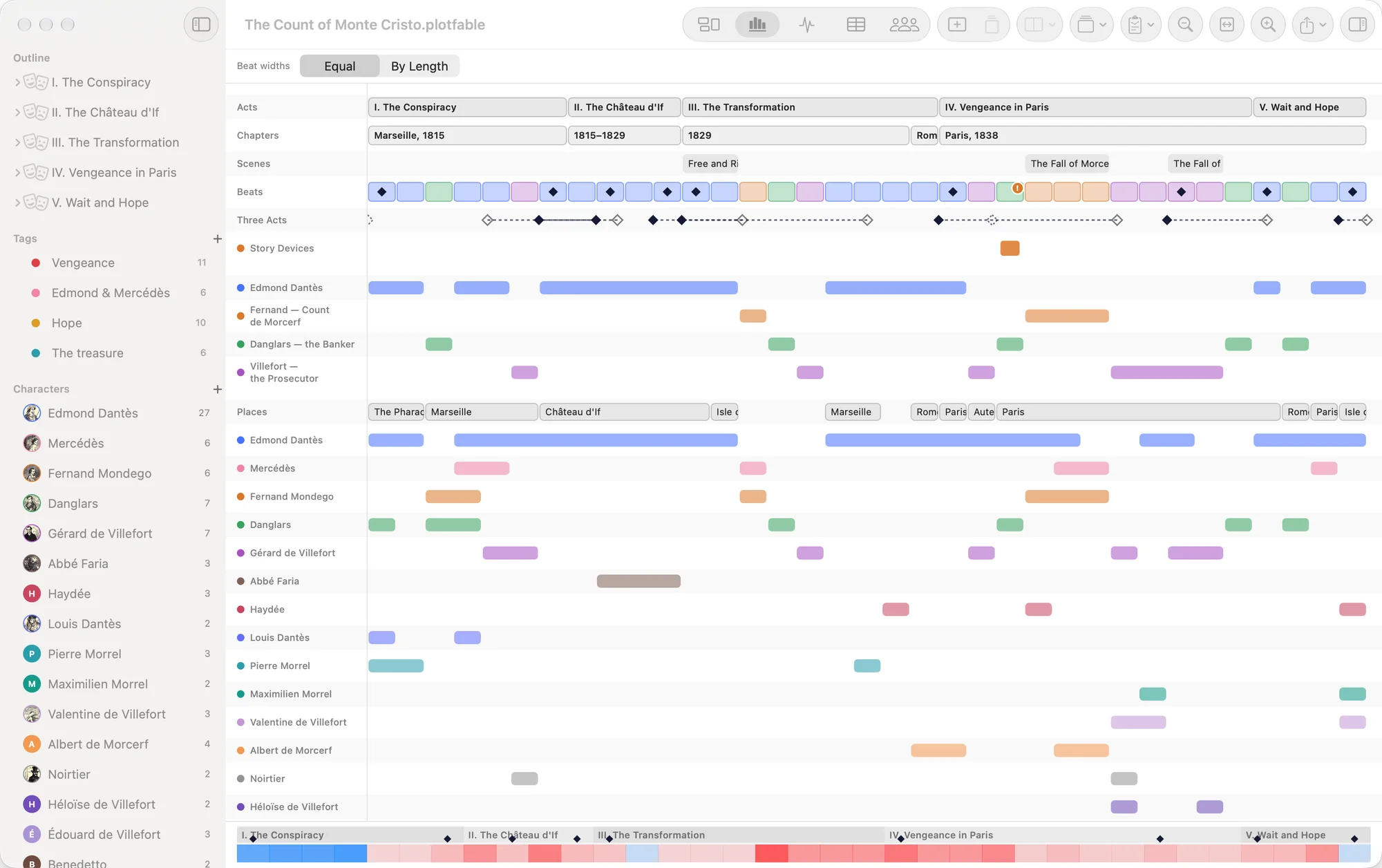
The whole story on one screen: acts, chapters, scenes, beats, and a track for every lane, place, character and storyline. See at a glance who disappears for too long — and where.
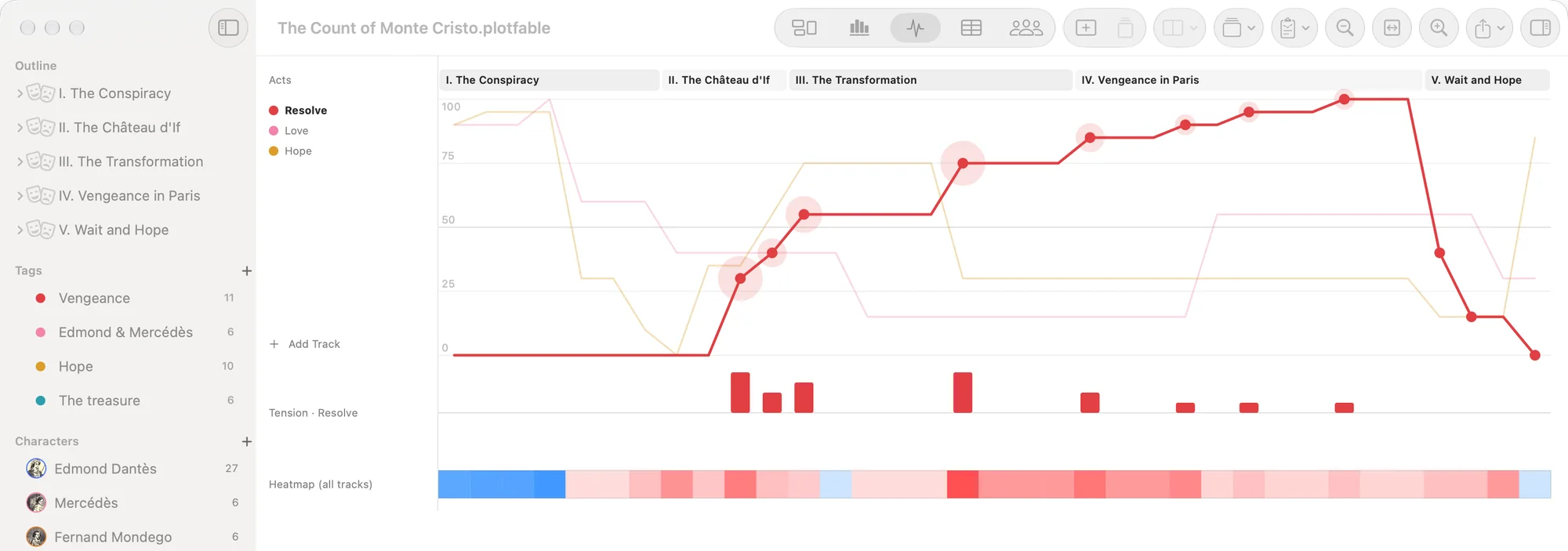
Track how a storyline feels over time — trust, danger, hope, love. Drag the curve to shape it; PlotFable works out where the tension spikes and paints a heatmap of the whole story.
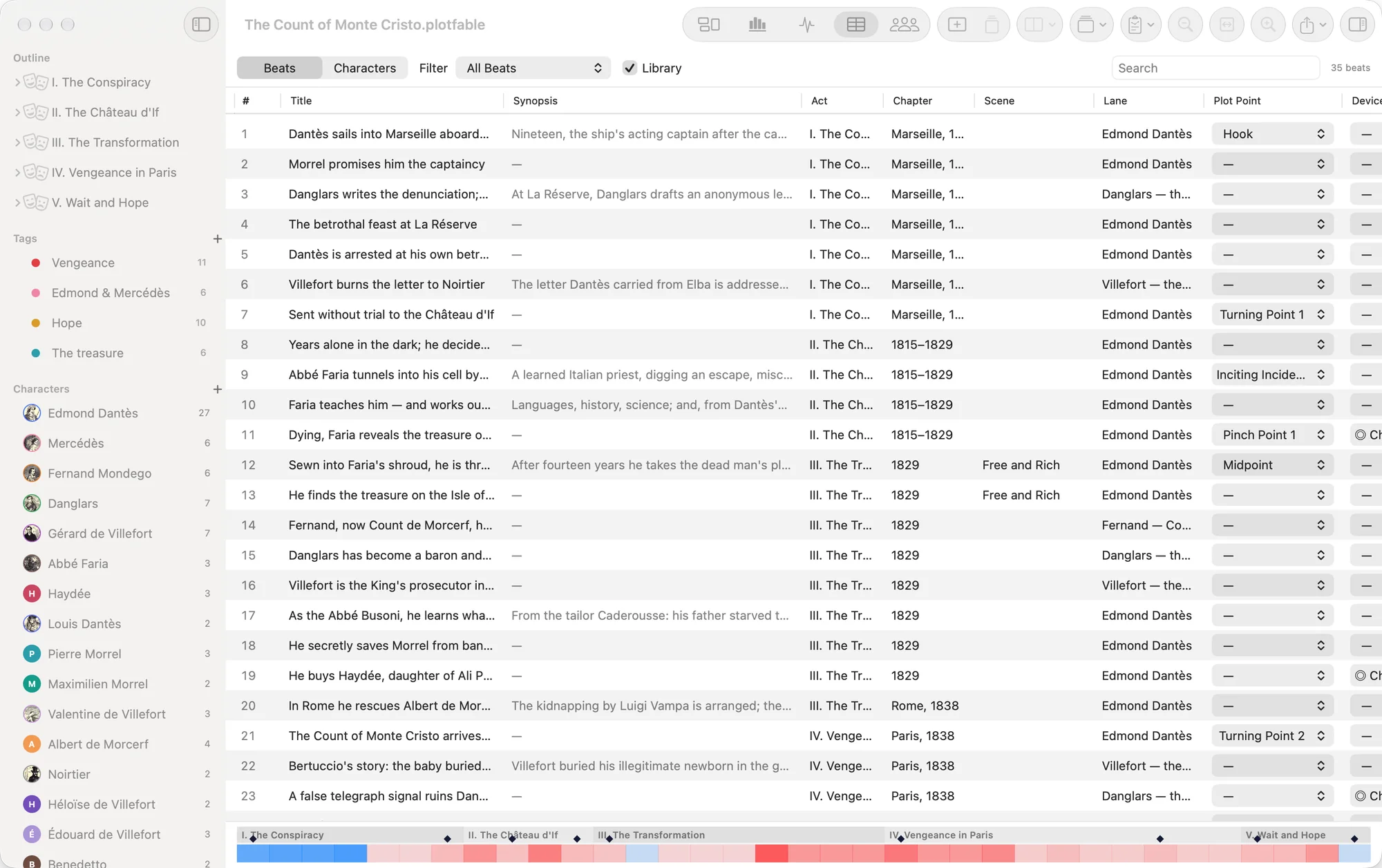
Every beat and every character as a row you can sort, filter and edit in place. Find the beats without a place, the characters who barely appear, the plot points you haven't set.
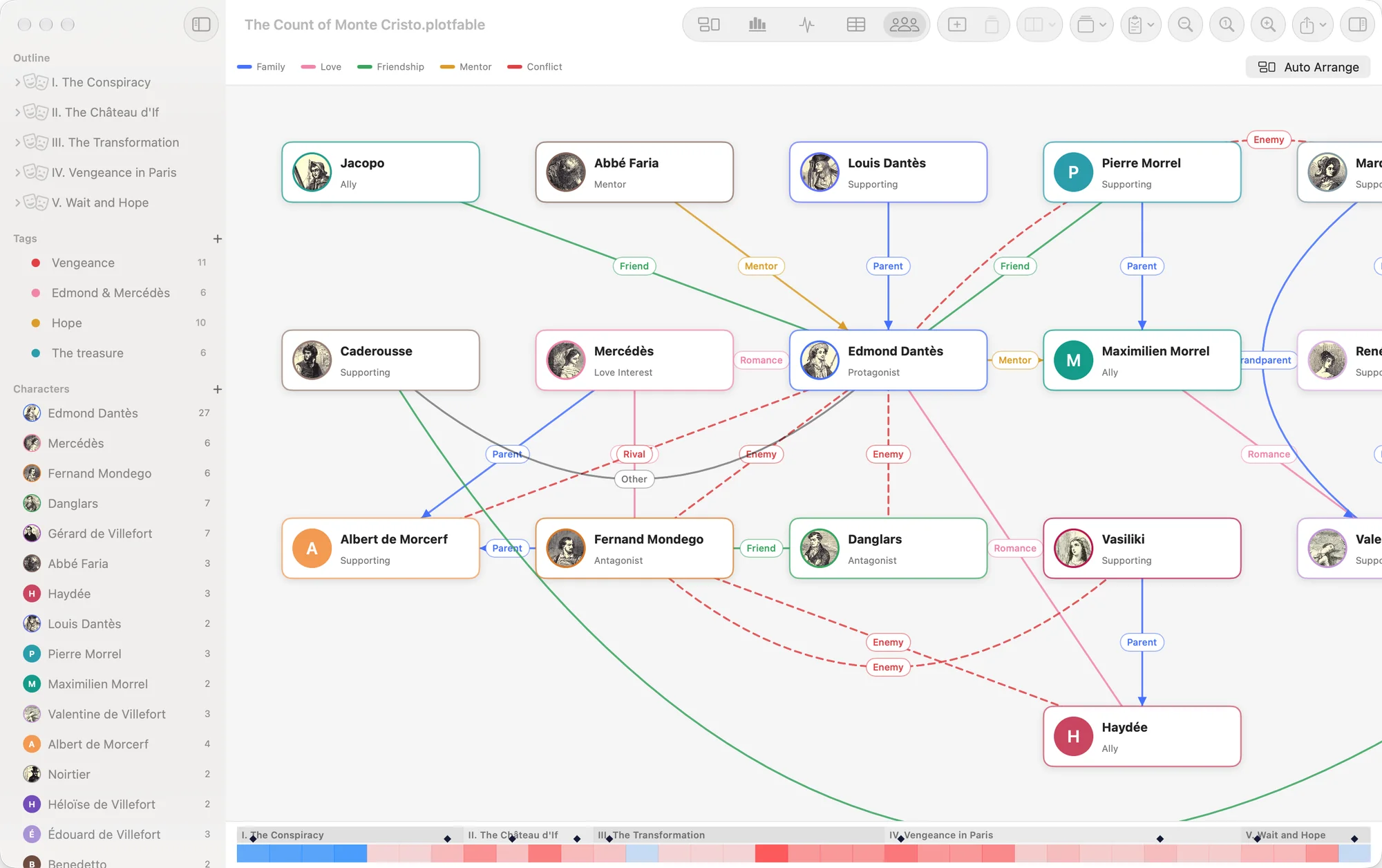
Family, love, friendship, mentors and enemies, drawn as a map of your cast. Add ties in each character's sheet; PlotFable arranges the families for you, or place everyone by hand.
Eight story structures, each with its acts, its stages and a short note on what belongs in each. Start a new story from one, or keep it alongside as a yardstick on the timeline.
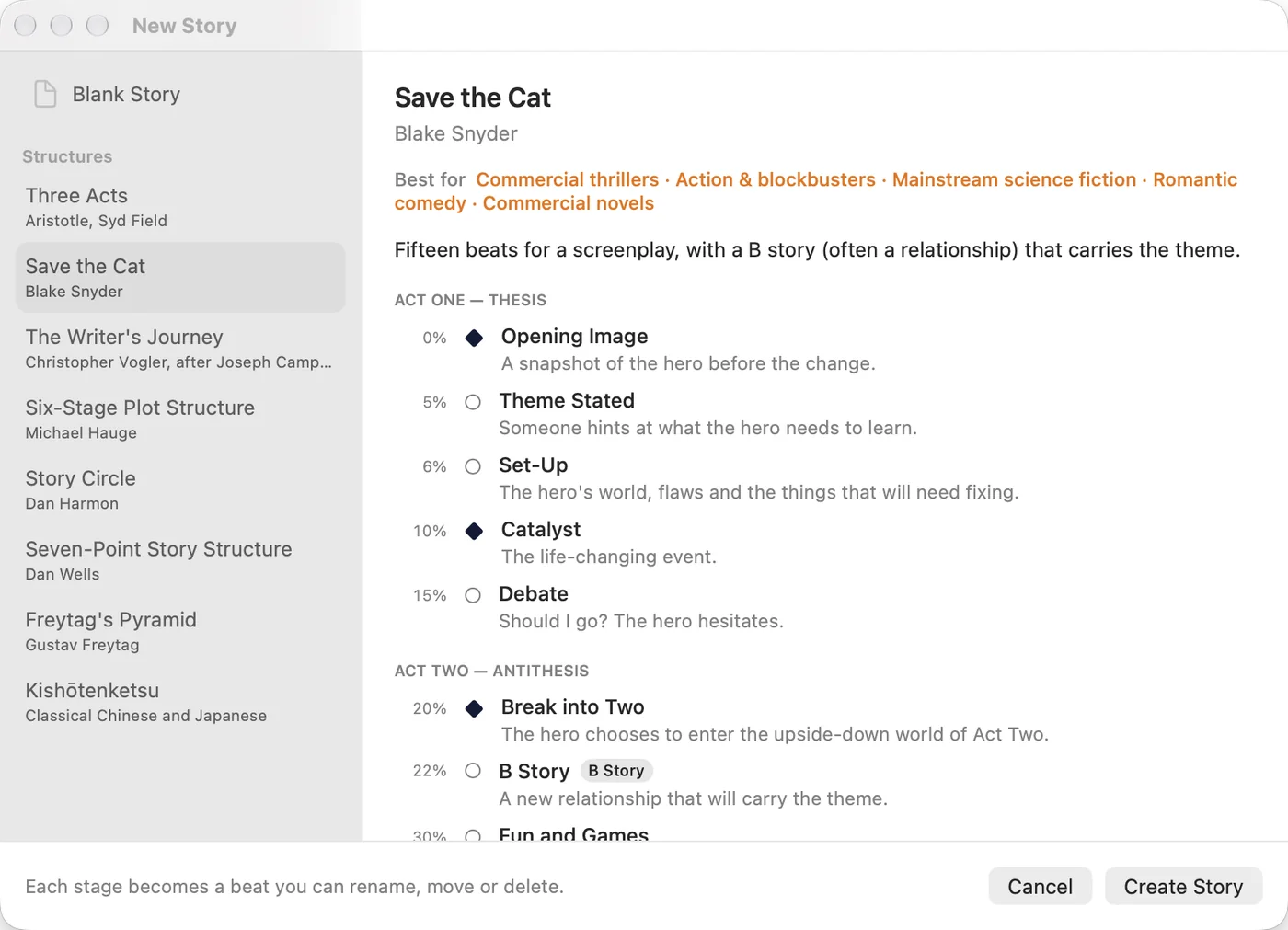
Choose a structure and PlotFable lays out its acts and one beat per stage, with a note on what belongs there and lengths in proportion. Rename them, move them, delete what your story doesn't need — the structure is a scaffold, not a cage.
Each structure says which genres it suits best, so you can pick one with your story in mind.
A link between two beats can be more than cause and effect. Tell PlotFable what kind it is, and it draws it — and warns you about the gun that never fires.
Chekhov's gun: what you show must be used. Order them wrongly and it's a plot error.
A quiet hint at what's coming, so the turn feels inevitable when it arrives.
The clues behind a twist. A twist with no clue before it gets flagged as unprepared.
A false lead, and the moment it's shown to be false — PlotFable reminds you to clear it up.
The audience learns it here; the character only there. The gap between them is tension.
An echo of an earlier moment — a line, an image — that gives the ending its weight.
PlotFable is for the shape of the story, not its prose. When the plan is ready, take it to the tool you write in.
Sheets with portraits and pictures, roles, wants and needs, flaws and arcs — and every beat they appear in.
Park beats you're not sure about outside the story. They wait there until you bring them back.
Open a complete example — from Dumas's The Count of Monte Cristo to an original heist — and see every feature in use.
An unfinished plot is the most private thing a writer has. PlotFable never sees it.
Open the app and write. There is nothing to sign up for.
Stories live in ordinary files on your Mac, wherever you keep them — iCloud Drive included.
The app collects no data and sends nothing anywhere. Privacy policy

Coming soon to the Mac App Store. Requires macOS 15 or later.
No. PlotFable is for the structure — beats, scenes, acts, storylines, characters and how they connect. Write the prose in the tool you love, and export your outline to Fountain, Markdown or PDF to take it with you.
Both. Beats, lanes and breaks work for chapters as well as sequences; lengths can be pages or minutes; and the outline exports to Fountain for screenwriting apps.
Not at all. Start with a blank story and add a structure later, only to compare against — or never.
In .plotfable files, on your Mac, wherever you choose. Put them in iCloud Drive or Dropbox if you want them on another Mac. PlotFable has no servers.
Any Mac with macOS 15 Sequoia or later.
A step-by-step guide is on its way — here on the website and inside the app, from the Help menu.